
Saturday, September 5, 2009
Rise and Fall of WCW DVD Review
The Rise and Fall of WCW is covered neatly here in about 1 hr and 45 minutes. Consider that the Rise and Fall of ECW covered a shorter time period and was about 3 hours and you'll soon find what the biggest gripe the internet wrestling community has had with this DVD set.
It's just too brief. That's not to say it's not well produced (as nearly all WWE DVDs are). It most certainly is. The problem I've had with this DVD is that it simply glosses over much of the bigger moments of WCW. The Sting/Hogan match and it's epic botches from Starrcade '97, a huge turning point for the company serves as the prime example of some of the glaring omissions on this DVD. Unlike the ECW DVD, WWE's revisionist history carelessly meanders overs plenty of hot spots the changed the tide of WCW's fate, both positive and negative.
With all that being said, the matches are absolutely tremendous and remind me why and how WCW was so hot for so long. A number of some of my all time favorite matches grace this DVD Flair vs. Ricky Steamboat in Chicago, Rey Mysterio Jr. vs. Dean Malenko, Syxx vs. Eddie Guerrero, Guerrero vs. Malenko, Chris Jericho vs. Juventud Guerrera, Steiners vs. Kevin Nash & Scott Hall, Goldberg vs. DDP. That's not to mention some of the more classic matches I wasn't as familiar with before this DVD like Rock & Roll Express vs. Midnight Express, Steiners vs. Sting & Lex Luger, and Rick Rude vs. Sting.
If you're looking for some great wrestling this DVD has you covered. If you know nothing of the juggernaught that WCW became, this DVD is an excellent introduction. If you're a WCW expert, there's a chance you may not see anything here you didn't already know.

X-Box 360 Elite!

Any serious gamer will assure you that the better the product, the better the game playing experience. With Xbox 360 elite, any gamer, expert to beginner, can easily get the most out of their playing time. This is the top game system on the market today, so anyone who owns this will get years of gaming fun out of it.
The Xbox 360 elite has numerous features that you cannot get with the standard Xbox 360. Elite is the best gaming console that your can purchase on the market today. It features a 120GB hard drive-the largest hard drive available in any gaming console on the marketplace. The Xbox 360 elite as well comes with a high-definition multimedia interface wire, a black wireless controller (the console has a black finish) and a matching black Xbox LIVE headset.
The Xbox 360 elite console is just like any other Xbox 360 console, only better. You can use your Xbox 360 elite to store music, picture, television shows, extra game levels, and so much more. The Xbox 360 elite makes using Xbox LIVE a lot easier and better as well. It has three core processors plus full surround sound and DVD playback. You even have a alternative in color. You can prefer either black or gray for you console to match your other furnishings.
The console comes with a wireless controller that will match the look and style of your Xbox 360 elite console. You can as well buy additional wireless controllers for your Xbox 360 elite console to have even more fun with your friends and family.
You can too buy another part for your Xbox 360 elite system. You can get a rechargeable battery pack for your wireless controllers. Extra controllers can be charging while you are playing.
If you are a serious gamer, or plan to be, you require to make an investment in your gaming future by purchasing the elite system.
Xbox 360 bundles
There are also other Xbox 360 bundles that cater to the gamer that loves Halo, or any other type of war or shooting game. This is why so many people choose to purchase Xbox 360 bundles right from the start.
What is even better is that there are some shops and websites that will let you choose the parts that come in your own Xbox 360 bundle. If you are thinking about having an Xbox 360 bundle, make sure that you look at all of your selections. Many times, stores will offer bundles that are very similar but have different prices. To know which one is the better deal, you will first need to know what you require out of that bundle to be able to play straight from the box. Doing a few internet explores to discover the kind of bundle you want before you buy it will help you do decide which Xbox 360 bundles are good for you.
LG BD370 Blu-Ray Review

If you had an LG BD370 Blu-ray disc player , you would be watching the movie of your choice. The LG BD370 performs beyond expectations but falls a little short of quantity quality. The interface of the LG BD370 is pretty straight forward there isn’t anything confusing about it. As long as you know what options you are looking for you will find it.
The LG BD370 Blu-ray player has an HDMI 1.3 port that can output 7.1-channel sound and 1080i/p visuals. Component and composite video out connections are provided, as is a digital optical audio port. The LG BD370 is a thoroughly capable machine, and wrapped with a design that won’t look out of place under even the swankiest HD TV. Unless you’re desperate to play games on a PlayStation 3, this is one of the best Blu-ray machines in the world. Flipping down the panel in the front of the LG BD370 gives the consumer access to several more functions on the device including the accessible port where a drive can be inserted. If preferred, the consumer can operate the disc player with a remote that offers a number of control options.
Of course, the PlayStation 3 still looms like the Close Encounters mother ship over the whole preceding, but fabulous little players like the LG BD370 are making the step to Blu-ray that much more enticing. But best of all its $250 price tag makes it excellent value for money, putting it right up there with the LG BD370 and Panasonic DMP-BD60 in the holy trinity of budget Blu-ray decks. The LG BD370 is the entry-level successor to the BD300, and it's very similar with the main upgrades being onboard decoding for DTS-HD Master Audio Essential and faster load times.
Moreover, this LG BD370 disc player will permit users to browse the entire CinemaNow premium content catalog, instantly stream content, and access and view movies bought from other CinemaNow-powered stores. It’s a well-known fact that CinemaNow is the first broadband distributor of high definition content. Right out of the box, it didn't take long at all for the LG BD370 Blu-ray player to upload discs. For this review, I viewed a copy of Slumdog Millionaire, and it only took 14.17 seconds for the disc to load. Amazon has the LG BD370 network Blu-ray disc player for $217 plus freeshipping if you order today.
Instant streaming content from Netflix to an HDTV via the LG BD370 requires a broadband connection and a Netflix membership (free trial available). You can use the Netflix Web site to add movies and TV episodes to your individual instant Queue, and those choices will automatically be displayed on and available to watch instantly through the HDTV. I made a mistake with my first LG BD370 by updating the firmware first, not knowing the newer firmware actually block any attempt of hacking the region code.
Dell Inspiron 1720 Review

With the Inspiron 1720, Dell ups the ante in the super-performance notebook category. A 17-incher, the Inspiron 1720 is quite bulky, but the good design hides this.
You get to choose from eight colours for the lid—jet black and seven other satin finishes. The custom paint job, however, is modest, and will not last too long.
The 17-inch glossy widescreen (1920 x 1200) panel is beautiful; colour reproduction is vibrant, and it has a wide viewing angle.
The full-sized keyboard is a delight to type on—silent and great tactile response. The Matshita BD-RE UJ-220 Blu-ray drive means you won’t need to upgrade the optical drive in a long, long time! However, DVI as well as HDMI connectivity has been left out—criminal.
500 GB of storage should be enough for most users, and 4 GB of RAM is adequate for most applications, games, and for the bundled Microsoft Vista Home Premium.
The NVIDIA GeForce 8600M GT 256 MB powers the graphics subsystem; a score of 5318 in 3D Mark 05 is very good indeed. This Inspiron churned out 96.4 fps and 65.31 fps in Doom 3 and FarCry respectively at 800 x 600—decent for moderate gamers.
In terms of performance, the Dell Inspiron 1720 scores better than the Digit Best Buy Gold winner (the HP DV6226tx) in the Performance Laptops category of our July 2007 laptop test. The 85 Wh nine-cell battery managed to power this beast for 2:48 hours in our tests.
The Dell Inspiron 1720 can be configured at Dell’s Web site. The base price for the Inspiron 1720 series starts from Rs 58,650—price varies according to the components you choose. The laptop carries a one-year warranty with the option of on-site support for up to three years.
Specifications
Intel Core 2 Duo T 7500 (2.2GHz); 17-inch widescreen XVGA; NVIDIA GeForce 8600M GT 256MB; 500 GB SATA hard drive; 4 GB DDR2 667MHz RAM; 85 Wh battery pack
Tips on Buying an LCD TV
If you have decided to buy a LCD TV but could not decide on brand, model or confused that if your selected brand or model is good enough.
Don’t worry, all you have to do is educate yourself by comparing LCD TVs of different brands and models and compare their specification. If you are not clear about the technical terms mentioned. I have listed some of them here.
Screen Size: Screen size is measured diagonally. There are many screen size available in the market, you need to decide on your room size and your budget.
Native Pixel Resolution: LCD flat panel sets have a number of pixels on the screen surface that is called as Native Pixel. You need to look for as high a native pixel count as possible. Most LCD TVs offer at least a 1280x720 native pixel resolution. This is the minimum pixel count you should settle on. Some larger screen LCD TVs now offer 1920x1080 native pixel resolution, which certainly is even more desirable, but costly.
Scaling:
Scaling is a process where a television's video processor will match the resolution of the incoming signal to its native pixel resolution. This means that lower resolution signals will be up-scaled, but the processor will downscale higher resolution signals so that they can be displayed at the TVs native resolution. That is the reason you need to buy HD Ready TV. Poor scaling can result in poor display results, such as jagged edges and inconsistent detail. It must also be noted that results also depend on the quality of the incoming signal.
Motion Response Time: It is nothing but the ability of the LCD TV to display fast moving objects without any blurring effect. In the past this has been a weakness of LCD technology. However, this has improved now. Check the specifications for Motion Response Time (ms = milliseconds). A good LCD TV should have a Response Time of either 12ms or 8ms, with 8ms being optimum, i.e. lesser the value the better. You need to consider this especially if you watch lots of sports or action films or like to play games on TV. Be wary of LCD TVs that do not list their motion response time.
Contrast Ratio: Contrast ratio, or the degree of variation of the whitest and darkest parts of the image, is a very important factor to consider. If the LCD TV has a low contrast ratio, dark images will look muddy and gray, while light images will look washed out. A good contrast ratio to have in an LCD TV is 1,500:1 or higher. Anything less than 1,500:1, may not provide an optimum viewing experience.
Brightness: Without sufficient brightness your image will look muddy and soft, even in a dark room. Viewing distance, screen size, and ambient room light will affect the need for more brightness capability. A brightness rating listed as 550 cd/m2 or higher is good enough, but don't depend upon the technical number listed, just make sure the screen is bright enough for your needs upon your own visual inspection.
Viewing Angle: Make sure you can view the image on the LCD TV from the sides as well as the from the prime viewing area. LCD TVs typically have a good side-to-side viewing angle, with many going as wide as 160 Degrees, or about 80 degrees from the center viewing spot. If you find that the image begins to fade or becomes un-viewable within 45 degrees from either side of the center viewing spot, then it may not be a good choice where you have a large group of viewers sitting in different parts of the room.
Tuner and Connection Considerations: Almost all LCD-TVs have built-in tuners, if it is not there you have to buy external tuner or set top box. There are LCD TV’s with dual-tuners for PIP functions i.e Picture in Picture function which allows to watch 2 chanels at a time. If they are HD Ready nothings like it. However, it will be useful only if you receive HDTV programming.
Canon Powershot S2 IS Digital Camera
Canon has introduced a new camera that has many great features that make it one of the best products that canon has to offer. The canon powershot S2 IS digital camera has great photo features such as amazing zoom quality and brightness adjustments. This camera is a must have product for anyone who wants to take quality pictures and be able to view them on a crystal clear lcd screen.
The canon powershot S2 IS digital camera contains 5.0 megapixels which is necessary to take high quality images. The photos always display great detail and they are clear and crisp. The canon powershot S2 IS digital camera always takes bright photos even at night. The night display function makes it easy for you to take bright photos even in the darkest of places. The camera features a 1.8 inch lcd screen which makes it easy for you to view your favorite photos. The lcd technology features a high quality resolution and allows you to record videos and see them clearly. The new Moviesnap feature allows you to record a video and take a picture at the same time. Therefore you can capture a video of the moment and also a picture.
The canon powershot S2 IS digital camera also features a built in stereo that has superb audio quality. viewing your movies just got a whole lot better with quality stereo sound and digital zooming allows you to capture events that are farther away. This camera also has a DIGIC II Image Processor which improves picture taking and overall response time of the camera itself.
Furthermore the canon powershot S2 IS digital camera is USB compatible. Therefore you can download your favorite pictures and movies to your computer. The USB connection is also superb and it is easy and quick to transfer data from your camera to your computer. There are also other accessories that can be purchased to enhance the ability of the canon powershot S2 IS digital camera such as the wide-angle converter. This device makes sure you capture the best photo everytime by identifying the perfect focus point. Another great feature of this camera is that you can print photos directly with a printer that is compatible. Instead of transferring photos to your computer you can directly print them.
The canon powershot S2 IS digital camera is a great product and is portable feature makes it easy to take from place to place. With this product its always easy to capture the moment wherever you are.

The canon powershot S2 IS digital camera contains 5.0 megapixels which is necessary to take high quality images. The photos always display great detail and they are clear and crisp. The canon powershot S2 IS digital camera always takes bright photos even at night. The night display function makes it easy for you to take bright photos even in the darkest of places. The camera features a 1.8 inch lcd screen which makes it easy for you to view your favorite photos. The lcd technology features a high quality resolution and allows you to record videos and see them clearly. The new Moviesnap feature allows you to record a video and take a picture at the same time. Therefore you can capture a video of the moment and also a picture.
The canon powershot S2 IS digital camera also features a built in stereo that has superb audio quality. viewing your movies just got a whole lot better with quality stereo sound and digital zooming allows you to capture events that are farther away. This camera also has a DIGIC II Image Processor which improves picture taking and overall response time of the camera itself.
Furthermore the canon powershot S2 IS digital camera is USB compatible. Therefore you can download your favorite pictures and movies to your computer. The USB connection is also superb and it is easy and quick to transfer data from your camera to your computer. There are also other accessories that can be purchased to enhance the ability of the canon powershot S2 IS digital camera such as the wide-angle converter. This device makes sure you capture the best photo everytime by identifying the perfect focus point. Another great feature of this camera is that you can print photos directly with a printer that is compatible. Instead of transferring photos to your computer you can directly print them.
The canon powershot S2 IS digital camera is a great product and is portable feature makes it easy to take from place to place. With this product its always easy to capture the moment wherever you are.
Raw House Show Results - Sioux Falls
9/4/09
WWE Raw House Show - Sioux Falls Arena
Evan Bourne d. Chavo Guerrero with assistance from Hornswoggle.
Chris Masters d. Alex Riley.
Shaemus d. Santino Marella.
Kofi Kingston won a three-way over the Miz and MVP to retain the U.S. title.
Mickie James and Gail Kim d. Rosa Mendes and Beth Phoenix when James pinned Mendes.
Mark Henry d. Jack Swagger.
John Cena d. Randy Orton by disqualification in a WWE title match. Cena gave Orton the FU after the match to send the crowd happy.
Credit: Wrestling Observer
WWE Raw House Show - Sioux Falls Arena
Evan Bourne d. Chavo Guerrero with assistance from Hornswoggle.
Chris Masters d. Alex Riley.
Shaemus d. Santino Marella.
Kofi Kingston won a three-way over the Miz and MVP to retain the U.S. title.
Mickie James and Gail Kim d. Rosa Mendes and Beth Phoenix when James pinned Mendes.
Mark Henry d. Jack Swagger.
John Cena d. Randy Orton by disqualification in a WWE title match. Cena gave Orton the FU after the match to send the crowd happy.
Credit: Wrestling Observer
Angelina Love Fired?

As of Sept 3rd, Lauren Williams, 26, known as Angelina Love of The Beautiful People, was released after an apparent issue with her working visa not being renewed given she was a Canadian citizen.
The current setting up of a Knockouts tag team tournament, which was to be decided on the No Surrender PPV, was to be a vehicle for Love & Velvet Sky to be the focal point of the championship. The match to decide the championship was origingally scheduled as Love & Sky vs. Sarita & Taylor Wilde, with Love & Sky as the probable winners.
Credit: Wrestling Observer
Saturday, August 22, 2009
Champions Online Review
Ever wonder would it would be like to put on those spandex, latch on that cape and fly through metropolis as heroic as can be? Well, wonder no longer. The long awaited Champions Online has finally arrived and it delivers a super-powered punch to the world of MMOs.
It's been in development for quite awhile, originally as the Marvel Online MMO. When Marvel pulled out for unknown reasons, Cryptic Studios acquired the Champions line from the pen-and-paper role-playing game.
The long wait has been well worth it. Cryptic brings to live a super-powered world that is lush and beautiful as it is expansive. The detailing of Millenium City, the Canadian mountaintops and the desert canyon is something to behold.
While the world graphics are something to look at, the character modeling is on another level. Nearly anything you can think of can be customized onto your super hero counterpart. Mega Strong Mutant? Done. Gun wielding teleporting ninja? Done. Robotic Cyborg Shark? Done. Your imagination is your only limit. Your powers are even customizable.
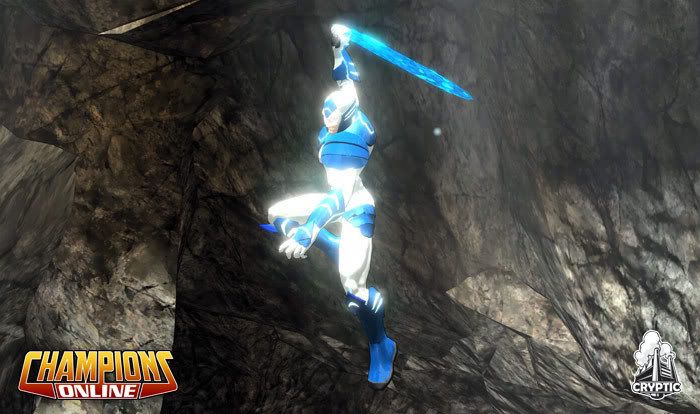
I put countless hours into the original hero MMO, City of Heroes and I can tell you that Champions Online simply blows it out of the water. The biggest difference is the action itself. Battles are fast-paced and require your full attention. Unlike most other MMOs, it is not simply point, click and wait. With my own gun wielding ninja, I took down a squadron of eco-terroists by jumping and dodging gunfire while laying waste to them with my katana and SMGs. Every battle FEELS like a super hero battle.
The open beta started August 17th and the launch goes live September 1st. You can gain access to the open beta (and the goodies that go along with it) by pre-ordering from just about any retailer. Champions Online monthly subscription is comparable to other MMOs at $15 a month. However, if you get the beta there are some limited time offers for 6-month and even lifetime packages that come with an array of extra and exclusive content.
It's been in development for quite awhile, originally as the Marvel Online MMO. When Marvel pulled out for unknown reasons, Cryptic Studios acquired the Champions line from the pen-and-paper role-playing game.
The long wait has been well worth it. Cryptic brings to live a super-powered world that is lush and beautiful as it is expansive. The detailing of Millenium City, the Canadian mountaintops and the desert canyon is something to behold.
While the world graphics are something to look at, the character modeling is on another level. Nearly anything you can think of can be customized onto your super hero counterpart. Mega Strong Mutant? Done. Gun wielding teleporting ninja? Done. Robotic Cyborg Shark? Done. Your imagination is your only limit. Your powers are even customizable.
I put countless hours into the original hero MMO, City of Heroes and I can tell you that Champions Online simply blows it out of the water. The biggest difference is the action itself. Battles are fast-paced and require your full attention. Unlike most other MMOs, it is not simply point, click and wait. With my own gun wielding ninja, I took down a squadron of eco-terroists by jumping and dodging gunfire while laying waste to them with my katana and SMGs. Every battle FEELS like a super hero battle.
The open beta started August 17th and the launch goes live September 1st. You can gain access to the open beta (and the goodies that go along with it) by pre-ordering from just about any retailer. Champions Online monthly subscription is comparable to other MMOs at $15 a month. However, if you get the beta there are some limited time offers for 6-month and even lifetime packages that come with an array of extra and exclusive content.


R4DS - Tips and Tricks for maintenance
Gaming is one of the most entertainment task for kids and teenagers. The Nintendo is very known name in the gaming industry. The Nintendo DS system is a highly popular gaming console. It provides basic gaming for kids. The new technology called R4DS in the Nintendo system has changed the whole Nintendo gaming console in a complete entertainment machine. The R4DS is truly revolution for the Nintendo DS console. In this article, we explore the information about the R4DS in short and sweet manner.
The R4DS technology provides you the facility, using which you can here mp3 music, watch videos and movies in your Nintendo DS console. When you are using R4DS with microSD cards, you need to know about some points of tips. These tips are useful to maintain the R4DS card for better future use.
Organize your games:
When you store games in the memory card, use the method by which you can organize your games easily. If you are willing to store games as well as videos and movies and mp4 songs, make folders of each item so that you can easily recognize the position of particular item. Keep the files in the folder according to the type of the file. This tip will helpful to you in finding out any file from your R4DS card easily.
Use separate folders for the mp3 files from different albums:
If you have a lot of music in your memory card, you need to organize them in a manner in which you can easily identify the files of your choice. Store the songs from the same album in a separate folder so that you do not conflict finding the music of your choice.
Apply the same method for the videos and other files too.
Take back-up:
The data on any storage device is the subject of accidental loss. The data can be deleted anytime or some virus attack can corrupt the data. You need to take a backup of all your data on the microSD card in your computer. This will prevent the data to be loose accidentally. Also take back-up of your saved games. If you have saved game at one end, playing the same game from the start would be a boring process. To save yourself from this process, take a back-up of all your saved data.
Check for the microSD card in the R4DS:
When you put the Nintendo DS console in your pocket and get ready to go away, always check the microSD card to be in the R4DS slot. This will help you to prevent the accidental loss of the microSD card. The microSD card is the storage device for your R4DS and is quite important for you. The size of the microSD card is small so that there is a possibility of loss of the microSD card in an accident. To permanently avoid the chances of accidental loss, always use a case to carry the Nintendo gaming console.
Applying the simple tricks may be cause of prevention of big problems. Please follow the above tips so that you can prevent yourself from a big trouble
The R4DS technology provides you the facility, using which you can here mp3 music, watch videos and movies in your Nintendo DS console. When you are using R4DS with microSD cards, you need to know about some points of tips. These tips are useful to maintain the R4DS card for better future use.
Organize your games:
When you store games in the memory card, use the method by which you can organize your games easily. If you are willing to store games as well as videos and movies and mp4 songs, make folders of each item so that you can easily recognize the position of particular item. Keep the files in the folder according to the type of the file. This tip will helpful to you in finding out any file from your R4DS card easily.
Use separate folders for the mp3 files from different albums:
If you have a lot of music in your memory card, you need to organize them in a manner in which you can easily identify the files of your choice. Store the songs from the same album in a separate folder so that you do not conflict finding the music of your choice.
Apply the same method for the videos and other files too.
Take back-up:
The data on any storage device is the subject of accidental loss. The data can be deleted anytime or some virus attack can corrupt the data. You need to take a backup of all your data on the microSD card in your computer. This will prevent the data to be loose accidentally. Also take back-up of your saved games. If you have saved game at one end, playing the same game from the start would be a boring process. To save yourself from this process, take a back-up of all your saved data.
Check for the microSD card in the R4DS:
When you put the Nintendo DS console in your pocket and get ready to go away, always check the microSD card to be in the R4DS slot. This will help you to prevent the accidental loss of the microSD card. The microSD card is the storage device for your R4DS and is quite important for you. The size of the microSD card is small so that there is a possibility of loss of the microSD card in an accident. To permanently avoid the chances of accidental loss, always use a case to carry the Nintendo gaming console.
Applying the simple tricks may be cause of prevention of big problems. Please follow the above tips so that you can prevent yourself from a big trouble
Great Prices and Bargains In Computer Sales
It is important when you begin looking for computer sales that you have a clear understanding of what you want not only in the seller, but in the product as well. You should also have a clear understanding of the most amount of money you are willing to spend on any product.
Some computers such as laptops, which offer the convenience of having computer access anywhere you go, are more expensive in some cases, than a desktop. You also have to factor in what accessories you want with the computer you purchase such as a printer, web cam, or a microphone.
You can expect to spend anywhere from $500 to $1,000 for a computer these days. Knowing what you want, as well as what you should be looking for is important to finding the best prices and computer sales on the market. Having a good, clear idea of these aspects will save you an abundance of time, making the search easier, an even finding the greatest deals.
The first thing you need to look for is the reliability of the seller. If you can trust the seller, it is highly likely that you will make an investment that you are proud of. Trust and reliability are of utmost importance in computer sales.
Finding the Perfect Computer at a Computer Sale
When looking at computer sales you will find that there are a ton of offers just waiting right around every corner for you. The key is that you do not necessarily want to choose the price that is the lowest. You want to look for a computer that is a perfect fit for you. The perfect fit will consist of a computer that meets both the level of skill you have and your needs at the same time.
The best choice of computer will be one that allows you to learn and grow as a computer user. Some things you really need to consider include the amount of space you will have to have. If you are looking to store pictures, documents, create your own greeting cards, play games, use the internet, and use email, a computer offering at least eighty gigabytes of space is likely necessary.
When looking at a computer sale you also want to take a close look at the amount of memory, also known as RAM within the computer. To complete many tasks at the same time, you will want higher RAM such as 512 megabytes. You may be able to get away with 256 megabytes, but not if you intend to do any major gaming. The processor is equally important anywhere from 2.8 to 3 GB is acceptable for most users.
Computer Sales: How to sort through the mess
Finding a good deal, you want to look at both price and functionality. It is important when doing comparison-shopping that you compare two like brands and aspects of computer. There are many computer stores both on the internet and off, it is important that you take a close look at features and price before choosing. Auction sites like eBay allow you to bid on computers. However, you will want to ask as many questions as necessary and ensure that you are buying from a reliable seller.
Finding Used Computer Sales can Save You Money
Deals and bargains are all a part of computer sales. In many cases, you will find several companies selling used computers and accessories. Some computer stores choose to refurbish a computer, which means that the computer has been restored to factory condition.
If you must buy used, make sure you buy a computer that will allow you to upgrade and get the most out of your investment.
Summary:
It is important when you begin looking for computer sales that you have a clear understanding of what you want not only in the seller, but in the product as well. You should also have a clear understanding of the most amount of money you are willing to spend on any product.

Some computers such as laptops, which offer the convenience of having computer access anywhere you go, are more expensive in some cases, than a desktop. You also have to factor in what accessories you want with the computer you purchase such as a printer, web cam, or a microphone.
You can expect to spend anywhere from $500 to $1,000 for a computer these days. Knowing what you want, as well as what you should be looking for is important to finding the best prices and computer sales on the market. Having a good, clear idea of these aspects will save you an abundance of time, making the search easier, an even finding the greatest deals.
The first thing you need to look for is the reliability of the seller. If you can trust the seller, it is highly likely that you will make an investment that you are proud of. Trust and reliability are of utmost importance in computer sales.
Finding the Perfect Computer at a Computer Sale
When looking at computer sales you will find that there are a ton of offers just waiting right around every corner for you. The key is that you do not necessarily want to choose the price that is the lowest. You want to look for a computer that is a perfect fit for you. The perfect fit will consist of a computer that meets both the level of skill you have and your needs at the same time.
The best choice of computer will be one that allows you to learn and grow as a computer user. Some things you really need to consider include the amount of space you will have to have. If you are looking to store pictures, documents, create your own greeting cards, play games, use the internet, and use email, a computer offering at least eighty gigabytes of space is likely necessary.
When looking at a computer sale you also want to take a close look at the amount of memory, also known as RAM within the computer. To complete many tasks at the same time, you will want higher RAM such as 512 megabytes. You may be able to get away with 256 megabytes, but not if you intend to do any major gaming. The processor is equally important anywhere from 2.8 to 3 GB is acceptable for most users.
Computer Sales: How to sort through the mess
Finding a good deal, you want to look at both price and functionality. It is important when doing comparison-shopping that you compare two like brands and aspects of computer. There are many computer stores both on the internet and off, it is important that you take a close look at features and price before choosing. Auction sites like eBay allow you to bid on computers. However, you will want to ask as many questions as necessary and ensure that you are buying from a reliable seller.
Finding Used Computer Sales can Save You Money
Deals and bargains are all a part of computer sales. In many cases, you will find several companies selling used computers and accessories. Some computer stores choose to refurbish a computer, which means that the computer has been restored to factory condition.
If you must buy used, make sure you buy a computer that will allow you to upgrade and get the most out of your investment.
Summary:
It is important when you begin looking for computer sales that you have a clear understanding of what you want not only in the seller, but in the product as well. You should also have a clear understanding of the most amount of money you are willing to spend on any product.

Introduction to Microsoft Excel
By: Christine Harrell
Microsoft Excel offers extremely powerful numerical and statistical data manipulation. However, such a powerful program can seem a little intimidating when all you need are some simple statistical results.
If you are new to Excel, why not take time out to fully explore your Excel window? If you are familiar with Microsoft Word, you will be pleasantly surprised by the similar ‘look and feel’.
You will also recognise the menu bar, formatting toolbar and the help box environment. Slightly less familiar features will include column headings, row headings, cell ranges and worksheet selection tabs. These helpful additions provide much of the back bone to Excel’s success.
Each Excel workbook is divided into worksheets. By default there are three sheets, with sheet one initially active. These sheets can be selected by clicking on the name of the sheet located at the bottom of the booklet.
Each sheet consists of many rows horizontally and columns vertically. Columns are named as alphabetical headings, while rows are numerical. Each row or column consists of a range of cells where data is stored and/or manipulated.
Once you are happy with the Excel layout, we can then delve into the features most useful to the novice user:
1) Basic Formatting
Rows and rows of data can be pretty bland if nothing really stands out. The presentation of data can be as important as the results themselves. An inventory report submitted to a new customer or potential client may only be reviewed initially for a matter of seconds. With a little thought, basic formatting can be used to highlight important areas and automate simple tasks.
If you are familiar with other Microsoft Office programs, you will have seen the formatting toolbar usually found at the top of the application’s screen. You can use this to select a cell range and apply whatever formatting you like.
Simple formatting allows the alteration of cell content. This includes applying different styles and sizes to data. You can also apply default Excel styles such as adding pound (£) and percentage (%) to cell areas.
The content of the cells can also have shading and borders applied to allow important elements to stand out. Rows and columns can be resized or cells can be automatically adjusted according to their contents. Cell contents can be justified - often good for making headings and content stand out. It doesn’t end here! There are many more formatting features available for you to experiment with.
2) Sorting & Filtering Information
With so many cells it can be a hard job finding and analysing the many rows of data you require - much like finding a needle in a haystack!! Fear not, Excel has prepared for all this and more!
Sorting: Excel allows you to sort data for one or more columns. A basic sort using the Ascending sort (A-Z) or Descending sort (Z-A) would allow data in a column to be reordered alphabetically and numerically, using the appropriate buttons on the standard toolbar.
More advanced sorting tools would allow you to sort by multiple columns. An example of this could be where an estate agent needs to view available houses that have only been on the market in the last week, are located in Surrey and have a garage. This could be done in a painfully manual way by searching and checking each row. Or simply, just sorting by date, then by location and finally by garage for each column heading.
Filtering: Filtering allows you to quickly and easily extract certain data that you do not wish to see. Where as sorting involves the re-arrangement of columns of data. The filtering process allows you to keep all the data in one sheet, but provides views of only the data that you are interested in - sounds great!
For example, a manager may have an excel sheet with hundreds of rows of invoice information. By applying a simple filter to the ‘invoice paid’ column, the manager will be able to see only the invoices that have been paid.
3) Simple Graphs:
You know the old saying ‘A picture tells a thousand words’ - well this is true for graphs too and Excel can be used to create just about any type of chart! These include bar, line, pie, scatter or you can even create your own custom graph to meet your specific needs. In terms of presenting data and delivering a quick, clear and meaningful message - a simple graph wins hands down!
Be careful when selecting the graph type. Think about which graph will best represent that data you are capturing and the message you wish to portray. Excel provides a ‘Chart Wizard’ that makes the whole process of creating a graph relatively easy with step-by-step guides. The Chart Wizard can be found in the standard toolbar.
4) Formulas & Functions:
They may sound quite scary at first, but they really aren’t once you see a simple example. It is true that formulas are extremely powerful, but you have the choice of the complexity that you wish to use. So why not start simple?
One of the most simple formulas makes use of the add function whereby two cells are added together e.g. ‘=sum(A1+A2)’. You could extend this further to add a whole row ‘=sum(A1:J1)’ or a whole column ‘=sum(A1:A10)’. This is a really handy tool which can be used to summarise totals of rows or columns of data.
Addition, subtraction, multiplication, division and averages are all examples of simple math functions that are built into Excel. There are many more functions available to explore.
We have just gone through the most useful basic features that Excel has to offer, and this is just the tip of the iceberg in terms of what Excel has to offer! I hope this has given a good insight as to how Microsoft Excel can be most efficiently used. However, reading this article alone will not make you a better Excel user. Training and practice is required to push your Excel skills to the next level.
These days it is often quite cost effective to get quality instructor led training from qualified trainers. There are many public scheduled training courses available or trainers can visit you on-site. Why not see what Excel training courses can do for you?
Microsoft Excel offers extremely powerful numerical and statistical data manipulation. However, such a powerful program can seem a little intimidating when all you need are some simple statistical results.
If you are new to Excel, why not take time out to fully explore your Excel window? If you are familiar with Microsoft Word, you will be pleasantly surprised by the similar ‘look and feel’.
You will also recognise the menu bar, formatting toolbar and the help box environment. Slightly less familiar features will include column headings, row headings, cell ranges and worksheet selection tabs. These helpful additions provide much of the back bone to Excel’s success.
Each Excel workbook is divided into worksheets. By default there are three sheets, with sheet one initially active. These sheets can be selected by clicking on the name of the sheet located at the bottom of the booklet.
Each sheet consists of many rows horizontally and columns vertically. Columns are named as alphabetical headings, while rows are numerical. Each row or column consists of a range of cells where data is stored and/or manipulated.
Once you are happy with the Excel layout, we can then delve into the features most useful to the novice user:
1) Basic Formatting
Rows and rows of data can be pretty bland if nothing really stands out. The presentation of data can be as important as the results themselves. An inventory report submitted to a new customer or potential client may only be reviewed initially for a matter of seconds. With a little thought, basic formatting can be used to highlight important areas and automate simple tasks.
If you are familiar with other Microsoft Office programs, you will have seen the formatting toolbar usually found at the top of the application’s screen. You can use this to select a cell range and apply whatever formatting you like.
Simple formatting allows the alteration of cell content. This includes applying different styles and sizes to data. You can also apply default Excel styles such as adding pound (£) and percentage (%) to cell areas.
The content of the cells can also have shading and borders applied to allow important elements to stand out. Rows and columns can be resized or cells can be automatically adjusted according to their contents. Cell contents can be justified - often good for making headings and content stand out. It doesn’t end here! There are many more formatting features available for you to experiment with.
2) Sorting & Filtering Information
With so many cells it can be a hard job finding and analysing the many rows of data you require - much like finding a needle in a haystack!! Fear not, Excel has prepared for all this and more!
Sorting: Excel allows you to sort data for one or more columns. A basic sort using the Ascending sort (A-Z) or Descending sort (Z-A) would allow data in a column to be reordered alphabetically and numerically, using the appropriate buttons on the standard toolbar.
More advanced sorting tools would allow you to sort by multiple columns. An example of this could be where an estate agent needs to view available houses that have only been on the market in the last week, are located in Surrey and have a garage. This could be done in a painfully manual way by searching and checking each row. Or simply, just sorting by date, then by location and finally by garage for each column heading.
Filtering: Filtering allows you to quickly and easily extract certain data that you do not wish to see. Where as sorting involves the re-arrangement of columns of data. The filtering process allows you to keep all the data in one sheet, but provides views of only the data that you are interested in - sounds great!
For example, a manager may have an excel sheet with hundreds of rows of invoice information. By applying a simple filter to the ‘invoice paid’ column, the manager will be able to see only the invoices that have been paid.
3) Simple Graphs:
You know the old saying ‘A picture tells a thousand words’ - well this is true for graphs too and Excel can be used to create just about any type of chart! These include bar, line, pie, scatter or you can even create your own custom graph to meet your specific needs. In terms of presenting data and delivering a quick, clear and meaningful message - a simple graph wins hands down!
Be careful when selecting the graph type. Think about which graph will best represent that data you are capturing and the message you wish to portray. Excel provides a ‘Chart Wizard’ that makes the whole process of creating a graph relatively easy with step-by-step guides. The Chart Wizard can be found in the standard toolbar.
4) Formulas & Functions:
They may sound quite scary at first, but they really aren’t once you see a simple example. It is true that formulas are extremely powerful, but you have the choice of the complexity that you wish to use. So why not start simple?
One of the most simple formulas makes use of the add function whereby two cells are added together e.g. ‘=sum(A1+A2)’. You could extend this further to add a whole row ‘=sum(A1:J1)’ or a whole column ‘=sum(A1:A10)’. This is a really handy tool which can be used to summarise totals of rows or columns of data.
Addition, subtraction, multiplication, division and averages are all examples of simple math functions that are built into Excel. There are many more functions available to explore.
We have just gone through the most useful basic features that Excel has to offer, and this is just the tip of the iceberg in terms of what Excel has to offer! I hope this has given a good insight as to how Microsoft Excel can be most efficiently used. However, reading this article alone will not make you a better Excel user. Training and practice is required to push your Excel skills to the next level.
These days it is often quite cost effective to get quality instructor led training from qualified trainers. There are many public scheduled training courses available or trainers can visit you on-site. Why not see what Excel training courses can do for you?
Optimizing Windows
By: Jamie Hanson
Today, you will find various registry cleaners that help to increase performance of your computer, but ultra Optimizer is the best among all other registry cleaners. It is very much technically developed windows registry cleaner truly optimizes your PC. It is easily available almost everywhere in the world now. Along with enhanced performance, Ultra Optimizer fixes a lot of errors that are found on your system. Due to the technologically advanced scanning engine, Ultra Optimizer competently senses and solves errors on your system as compared to any other registry cleaner in the store today. As Ultra Optimizer has several build in mechanism, this helps a greatly improved PC performance.
As the usage of computers is rising by leaps and bounds, people often experience problems while they constantly use their PCs. The slowdown in your work results to frustrations and you end up switching off your system. But this is not the reply to your prevailing difficulty. And if you really want to improve your system’s performance, it is necessary that you get a perfect registry cleaner for it. While you are constantly using Windows, downloading or setting up new programs and files, causes the systems registry cleaner to mess up. This decreases the performance of your system. So, Ultra Optimizer is here to save the system resources and improve Window performance. Along with improved performance, the errors found in your system are prevented and most of the errors are also solved in no time.
Ultra Optimizer is basically created to Fine Tune all the system that operates on any Windows based operating system. This is very safe and easy too. The best thing is that you need not be an expert to Fine Tune and improve your system perfectly. You will be amazed to know that this software actually scans your system completely, sets up back up as well as suggest what is best set up for your system. Even a learner can enhance the performance of his computer and fix any type of mistake, thanks to the technically developed Ultra Optimizer.
Ultra Optimizer is used all over the world and it is regarded as the world’s best registry cleaner by all the computer professionals worldwide. Your computer works faster and better, you feel more than contented because of the increased performance of your computer with Ultra Optimizer! It is sensible to use this registry cleaner for your PC as others are just waste of your money and efforts. Not only this, Ultra Optimizer protects your privacy as you can eradicate all that you were surfing just by clicking your mouse a few times. This is the simplest way to protect your privacy.
There are several online stores that present you Ultra Optimizer for your computer. It is easily available and hence you can optimize Window and increase your Computer performance with this amazing software. You can now optimize the performance of you PC with Ultra Optimizer that is easily available in any online store}. Thus, you get all in one, secure registry cleaner for your computer, simple to operate and of course improved speed and performance of your computer. Look no further, get Ultra Optimizer for your PC today and experience the amazing benefits forever.
Today, you will find various registry cleaners that help to increase performance of your computer, but ultra Optimizer is the best among all other registry cleaners. It is very much technically developed windows registry cleaner truly optimizes your PC. It is easily available almost everywhere in the world now. Along with enhanced performance, Ultra Optimizer fixes a lot of errors that are found on your system. Due to the technologically advanced scanning engine, Ultra Optimizer competently senses and solves errors on your system as compared to any other registry cleaner in the store today. As Ultra Optimizer has several build in mechanism, this helps a greatly improved PC performance.
As the usage of computers is rising by leaps and bounds, people often experience problems while they constantly use their PCs. The slowdown in your work results to frustrations and you end up switching off your system. But this is not the reply to your prevailing difficulty. And if you really want to improve your system’s performance, it is necessary that you get a perfect registry cleaner for it. While you are constantly using Windows, downloading or setting up new programs and files, causes the systems registry cleaner to mess up. This decreases the performance of your system. So, Ultra Optimizer is here to save the system resources and improve Window performance. Along with improved performance, the errors found in your system are prevented and most of the errors are also solved in no time.
Ultra Optimizer is basically created to Fine Tune all the system that operates on any Windows based operating system. This is very safe and easy too. The best thing is that you need not be an expert to Fine Tune and improve your system perfectly. You will be amazed to know that this software actually scans your system completely, sets up back up as well as suggest what is best set up for your system. Even a learner can enhance the performance of his computer and fix any type of mistake, thanks to the technically developed Ultra Optimizer.
Ultra Optimizer is used all over the world and it is regarded as the world’s best registry cleaner by all the computer professionals worldwide. Your computer works faster and better, you feel more than contented because of the increased performance of your computer with Ultra Optimizer! It is sensible to use this registry cleaner for your PC as others are just waste of your money and efforts. Not only this, Ultra Optimizer protects your privacy as you can eradicate all that you were surfing just by clicking your mouse a few times. This is the simplest way to protect your privacy.
There are several online stores that present you Ultra Optimizer for your computer. It is easily available and hence you can optimize Window and increase your Computer performance with this amazing software. You can now optimize the performance of you PC with Ultra Optimizer that is easily available in any online store}. Thus, you get all in one, secure registry cleaner for your computer, simple to operate and of course improved speed and performance of your computer. Look no further, get Ultra Optimizer for your PC today and experience the amazing benefits forever.
Building Cheap Computers in 3 Easy Steps
By: Nicky Pilkington
Just a decade ago, the only people who put computers together were those individuals who possessed an extensive technical background. Advancements in technology have eliminated some of the complexities in how computers work. This change has resulted in average people who have a basic understanding of computers being able to build a system themselves. Whether you are interested in building computers to establish a new hobby or to start a business, you can so in only a few easy steps and on a shoestring budget.
The first step in building cheap computers is to determine the route you want to use to build systems. You basically have three choices when considering building cheap computers: build a system from scratch, expand on a bare bones computer, or upgrade an existing system. Building a system from scratch can be a rewarding experience. However, it is not for everyone. If you are impatient or are intimidated by mechanical tools, you are better to choose one of the other two options.
Regardless of the method you choose, you will follow three basic steps:
1. Plan
2. Assemble
3. Test
The planning phase of your project involves determining the specifications for the computer you want to build. Once you know this information you can start shopping for parts that meet those specifications. Your main considerations should be
hard-disk, memory, and CPU (central processing unit). The harddrive is important because it determines how much information you are able to store on the computer. While you could build a computer with a harddrive smaller than 2 GB (gigabytes), it is not recommended.
The harddrive and memory work together. The amount of memory you place in your computer will directly affect how the system is able to complete the different processes that you request when using the system. If you have no idea what size hard-drive and the amount of memory you need, you should consider the type of operating system you intend to load on the system. You can consult the manufacturer of your hard-drive or review the information on Cheap-Computer-Guy.com, which features a list of minimum harddrive and memory requirements for various operating systems, and use this information as a guide.
The equipment presented in this article includes the basics of a computer system. Of course, nowadays people want far more than the basics and you undoubtedly feel the same way. There are optional components available that you may want to add to your systems, which include CD or DVD drives, a modem or other communication component for Internet connectivity, or a video graphics card.
Once you have decided on the specifications of the computer you want to build, you are ready to assemble the system. In addition to detailed information about the parts you will need to build your computer, cheap-computer-guy.com includes step-by-step instructions for assembling a cheap do-it-yourself computer.
When you have finished assembling the computer, you will then need to test to make sure that the system boots and that all components are functioning properly. Once you have completed all these tests you will have built your own cheap computer.
Saturday, May 2, 2009
UFC: Undisputed PREview
With MMA more popular then ever it's about time the good folks at Zuffa and THQ partnered to make a new addition to the UFC series of video games. I'll admit, I had my reservations when Undisputed was first announced. The prior UFC games were fun to an extent, but each had their own set of problems when it came to overly complex control schemes.
Right away, Undisputed fixes the control issue with an easy to follow and informative tutorial. The tutorial takes about 15 minutes to get through and the result is easily handling of a very deep and authentic fighting system that incorporates every facet of UFC action from standup, clinch, takedowns, transitions and submissions.
This only being the demo, we're given the choice of either Chuck "The Iceman" Liddell orMauricio "Shogun" Rua. Both fighters are beautifully recreated here, right down to Chuck's painted toenails. The level of detail from their prefight tale of the tape to the closing hand raise shows the developers really took their time.
Starting with the standup game, it's about what'd you expect. You have four buttons (2 punch, 2 kick) and the abililty to shift between head, stomach, and leg shots. Undisputed sports a new clinching system that will help take advantage of each fighters style. A wrestler will be able to perform various slams and throws from this position while a Muay Thai fighter like Marco Rua can use powerful knees to dominate his opponent. Submissions during the ground game are vastly improved. They're more dependent on timing, skill and most importantly position relative to your opponent.
Being a life long fan of wrestling/football/every-sporting-game-you-can-think-of I can tell you I've never heard a better job of announcers in a sporting game, period. These fights sound like actual fights. The announcers react according to what's going on in the game perfectly. I've played the demo many times over and I'm still hearing newthings from the team of Joe Rogan and Mike Goldberg.
While not playable in the demo, we get to see a sneak peak of the other modes including X-Box Live, Classic Fights, Create a Fighter and what I'm looking forward to most, The Career Mode. I've managed to uncover a short preview of the Career Mode... in Italian!
UFC Undisputed is due out May 19th and is sure to be a MUST BUY for fighting game fans. If you're an MMA fan, there's no question this is the one you've been waiting for.
Subscribe to:
Comments (Atom)
